
Your whole trip, live in one place.
HyperActives holds the flights, hotels and cars of a trip, follows every flight as it happens, and makes any detail quick to find.
Coming to iPhone and Android. Not in the stores yet.
What it does
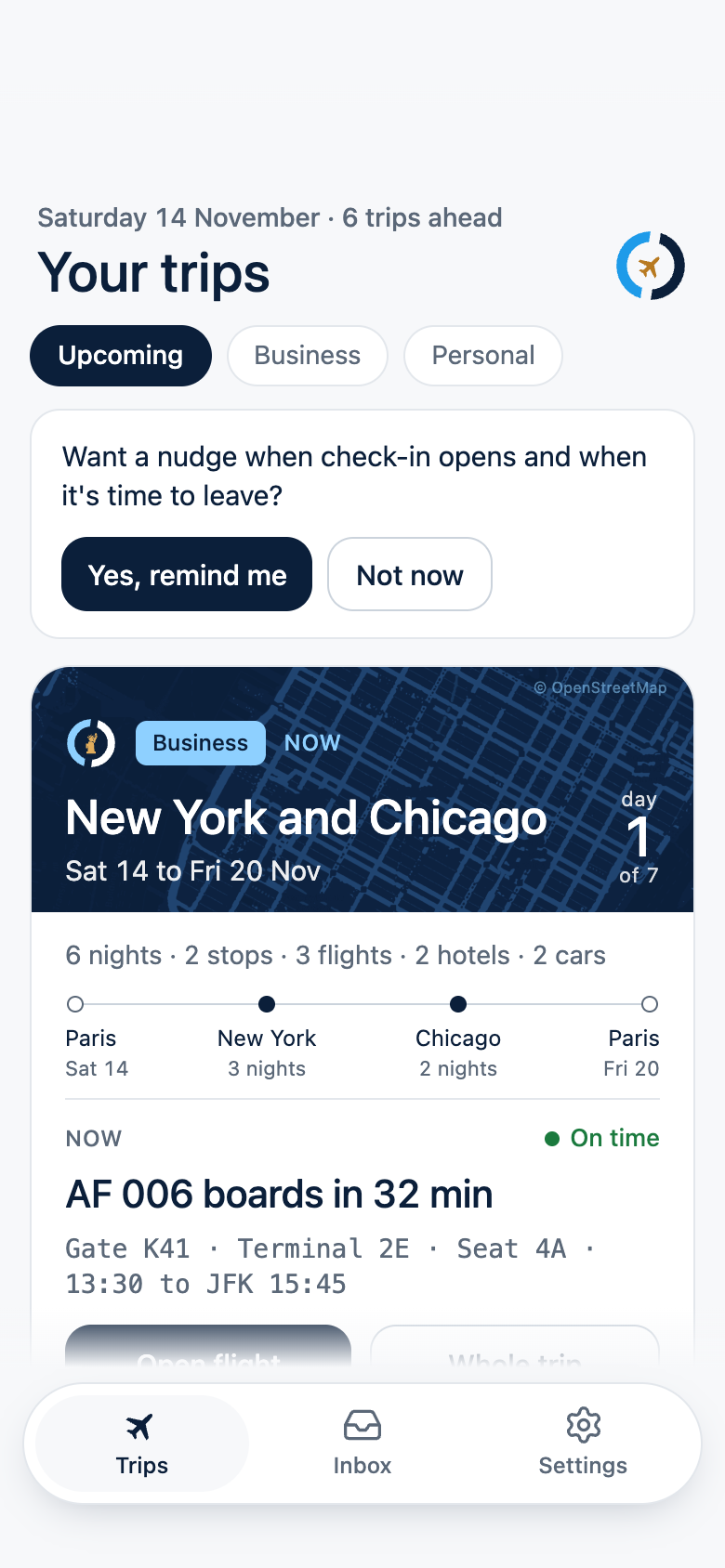
Holds the whole trip
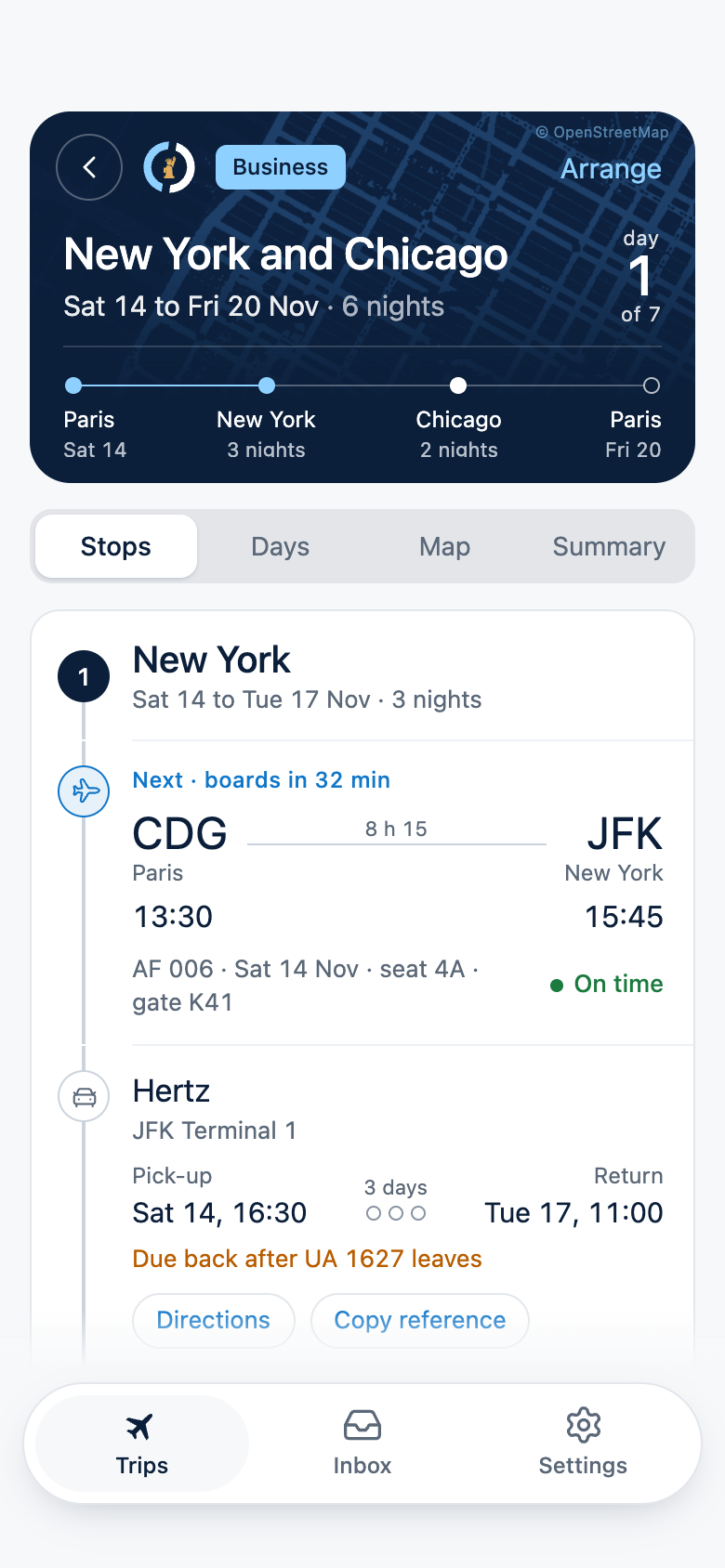
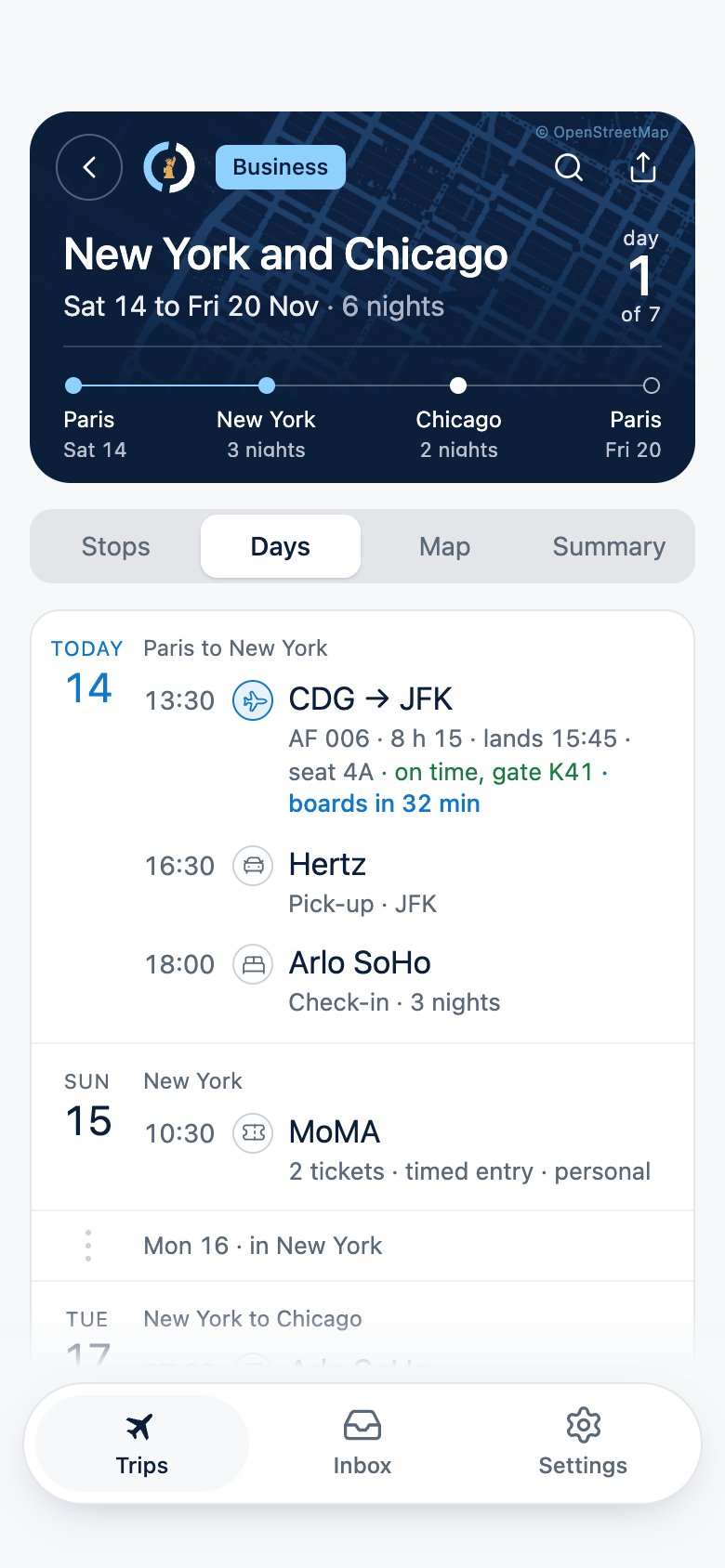
Flights, hotels, cars, trains, tables and tickets, in time order.
Follows every flight
Delays, gate and terminal changes, cancellations, where the inbound aircraft is, and the baggage belt when you land.
Fills itself
Forward a confirmation email, or paste its text, and the booking lands in the right trip. Or type it in yourself.
Quick to find
Each booking opens to when, where and the reference. Six trips fit on one screen.
The screens
The flight
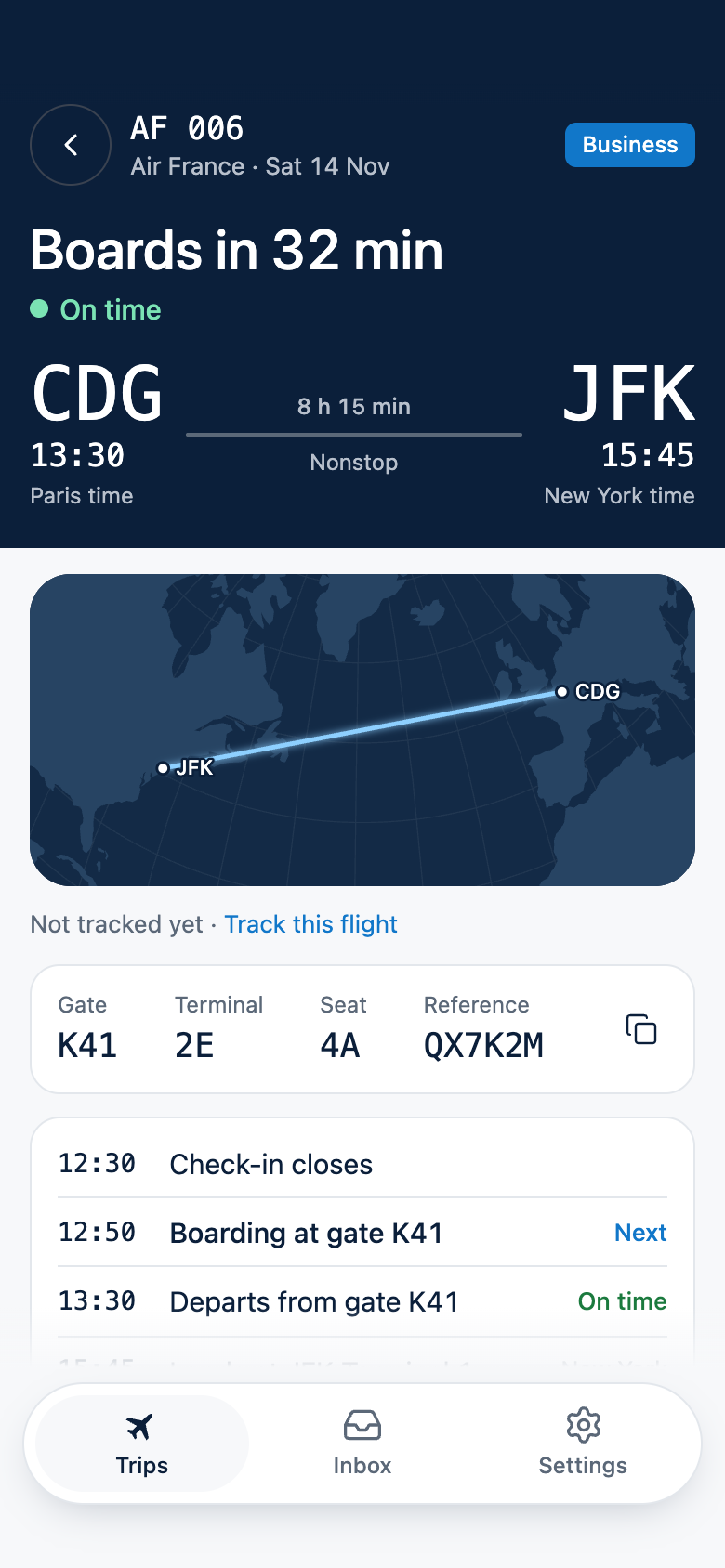
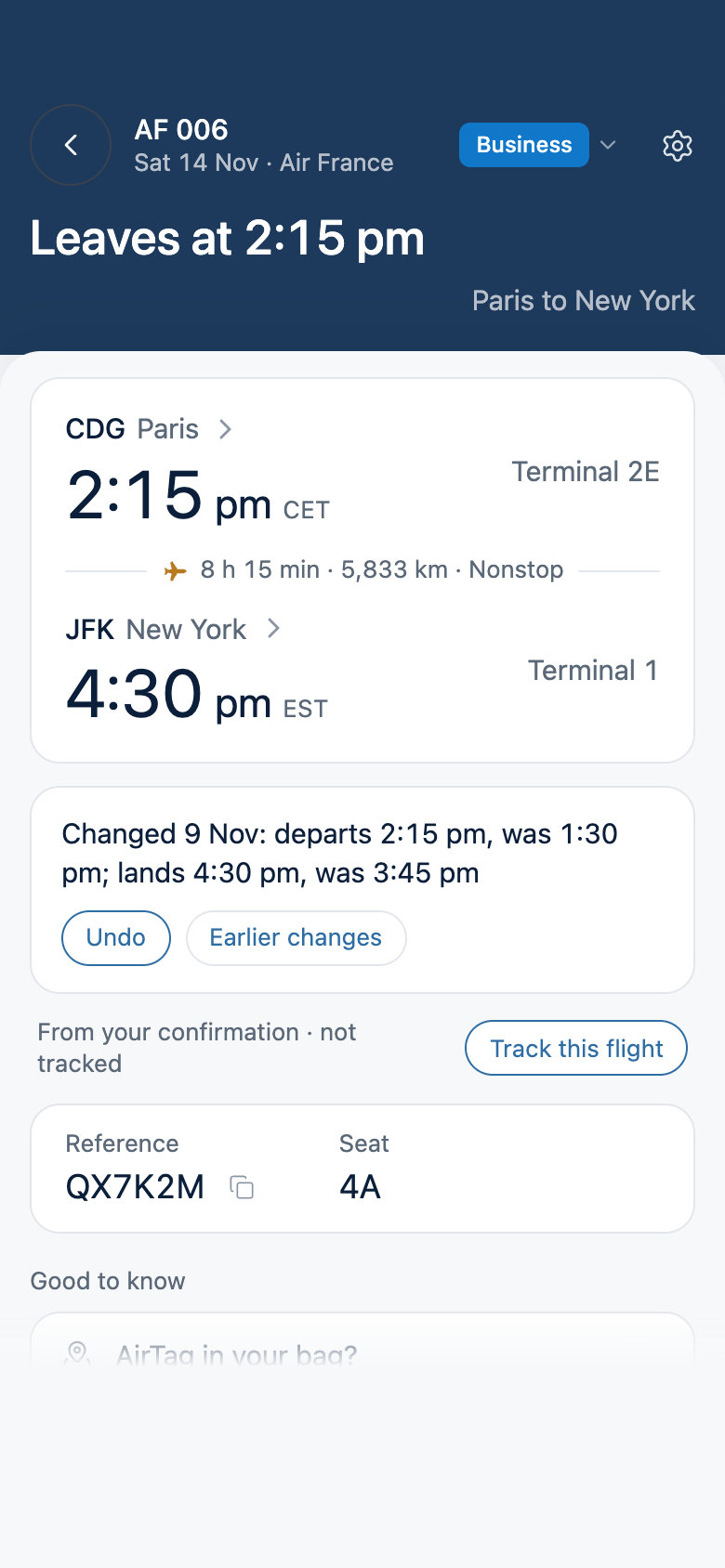
Track a flight and it keeps itself current.
Nothing is tracked until you ask: one quiet line on the flight's screen. From then on it shows the time the flight is now expected to leave and land, with the booked time beside it, and the gate, the terminal and the baggage belt as they are known.
Each change is kept in a short list, so you can see what moved and when. Stop tracking whenever you like.

On the day, it sits on your Lock Screen.
Time to boarding, gate, seat and what comes next, without opening the app. Mute it in one tap when you would rather not see it. Nothing nags, and nothing is required.
On the day
A nudge at the right moment
When check-in opens, when it is time to leave for the airport, at boarding, and an hour before hotel check-out. Each in the time of the place you are in. Switch any of them off.
A time that fits your flights
When a hotel gives dates and no hours, the app suggests a check-out that makes your flight. Accept it or adjust it.
Share a trip by link
One private link shows someone your flights, stays and dates. Never your booking references. Stop sharing whenever you like.
Your calendar
Your trips, in the calendar you already use.
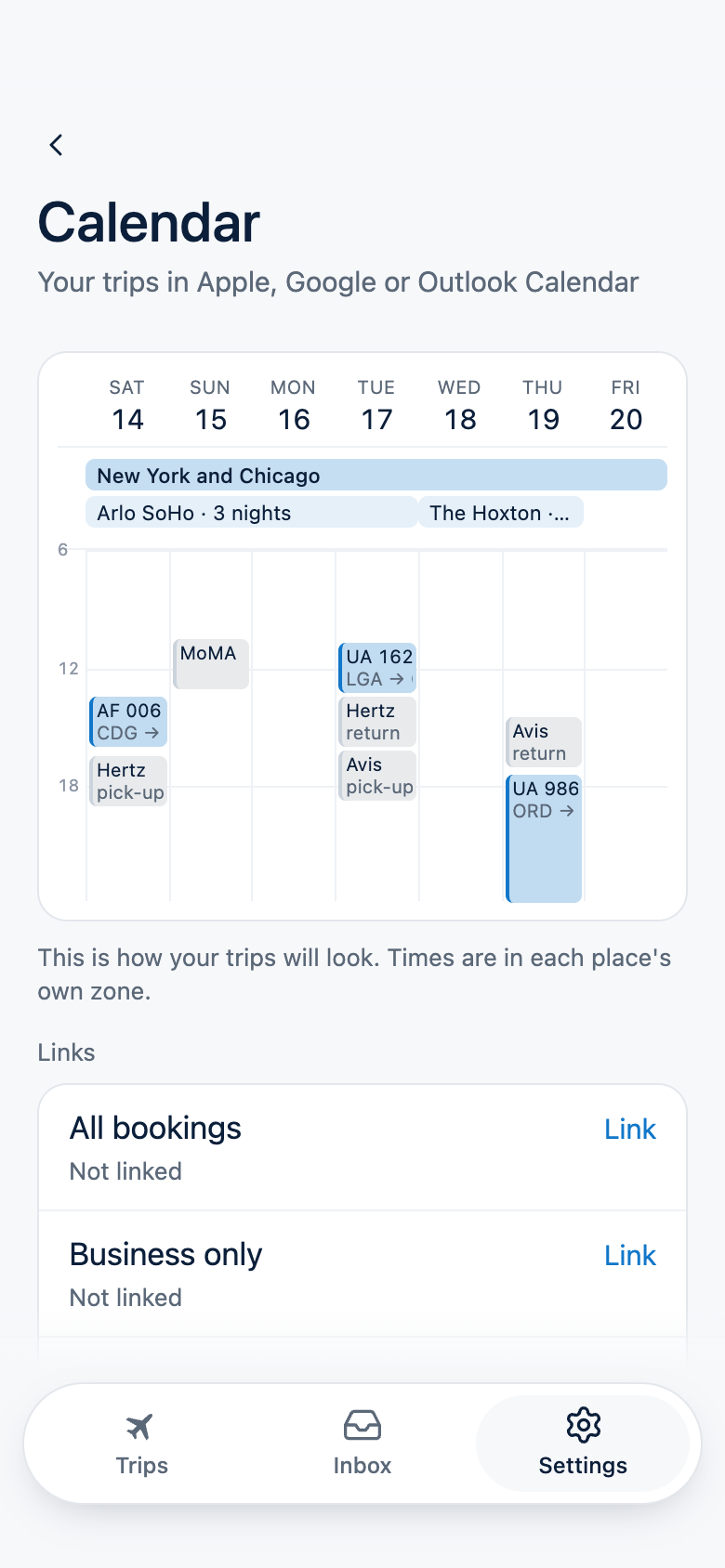
One private link puts your trips into Apple, Google or Outlook Calendar. The trip is a quiet band across its days, each hotel stay a band under it, and each flight sits at its hour in its airport's own time zone.
A delayed flight moves and a cancelled one is struck through, so you can see what happened. The one reminder is when check-in closes, and you can switch it off.
Your inbox stays yours
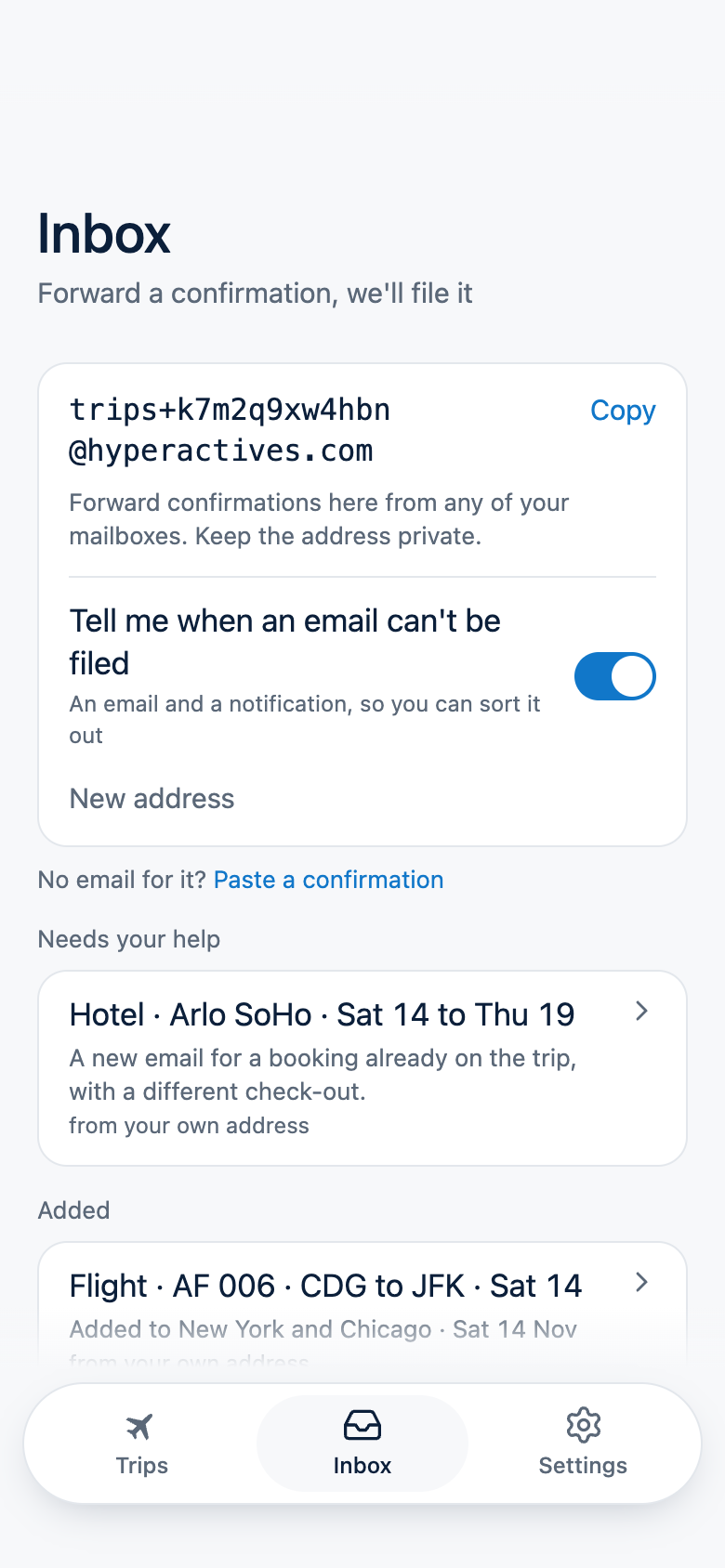
Forward a confirmation and it is filed.
HyperActives never connects to your email account and never looks through your inbox. It reads only the confirmations you choose to send it. Turn forwarding on and you get a private address. Forward a booking confirmation to it and the booking lands in the trip it belongs to. When it looks like a change to something you already have, or a double booking, the app asks which you meant. No email for it? Paste the confirmation's text and it is read the same way.
Each email you forward is read by an AI model, Claude, made by Anthropic, to pull out the booking. We keep the booking, the sender's domain and the subject line. The email itself is kept only if we could not file it, for up to 3 days, so you can ask us to read it again. The privacy policy has the detail.
When plans change
Flights change. Your trip keeps up.
Forward the airline's new confirmation and HyperActives finds the flight it replaces and updates it, even when the rest of the itinerary hasn't changed. Your calendar and flight alerts move with it. A new day or new airports? It shows you both and asks first. Change your mind, and undo it.
Connections
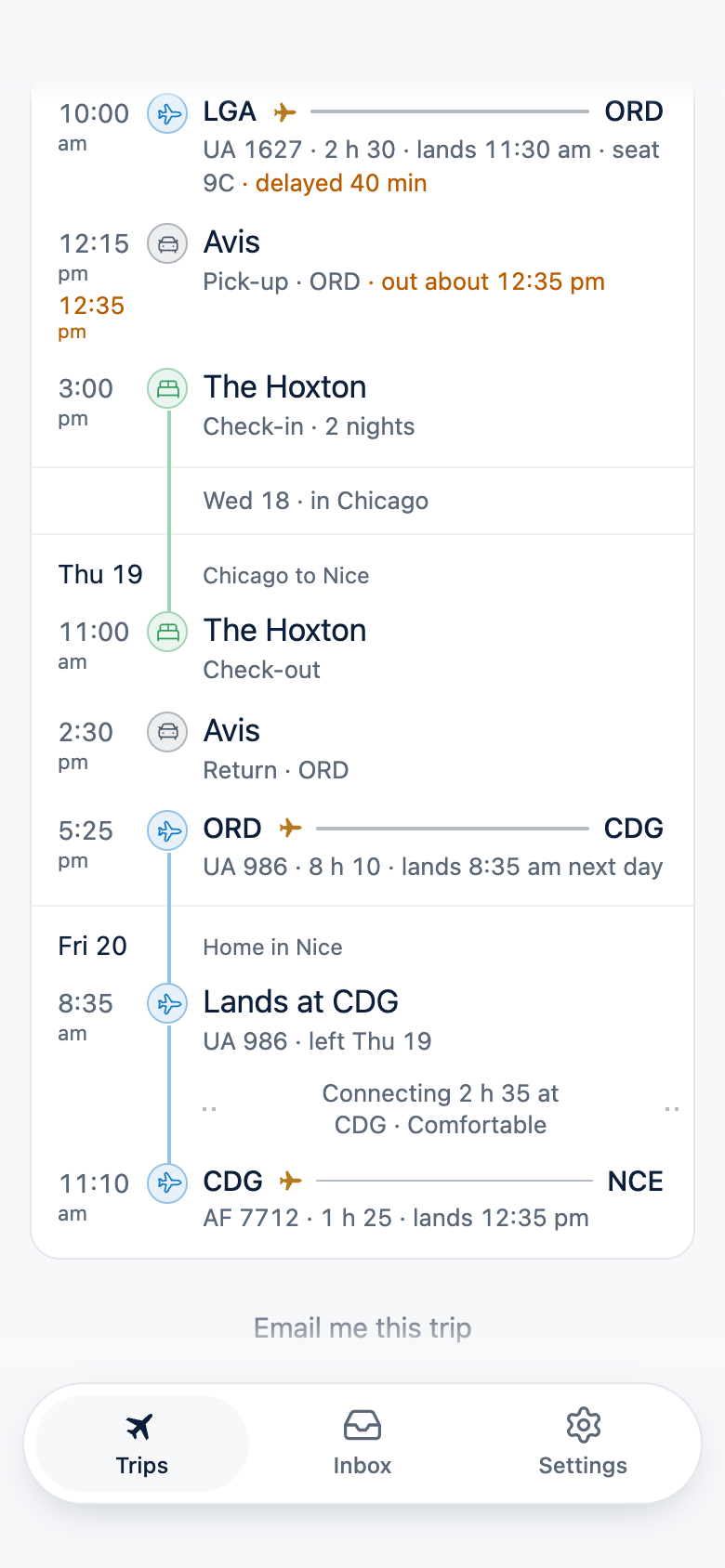
Every connection, timed.
Land at one airport and leave from it again, and the app works out the time between your flights: comfortable, tight or short, allowing more for a connection that crosses a border. If a delay squeezes it, you are told once, with both times.
It notices
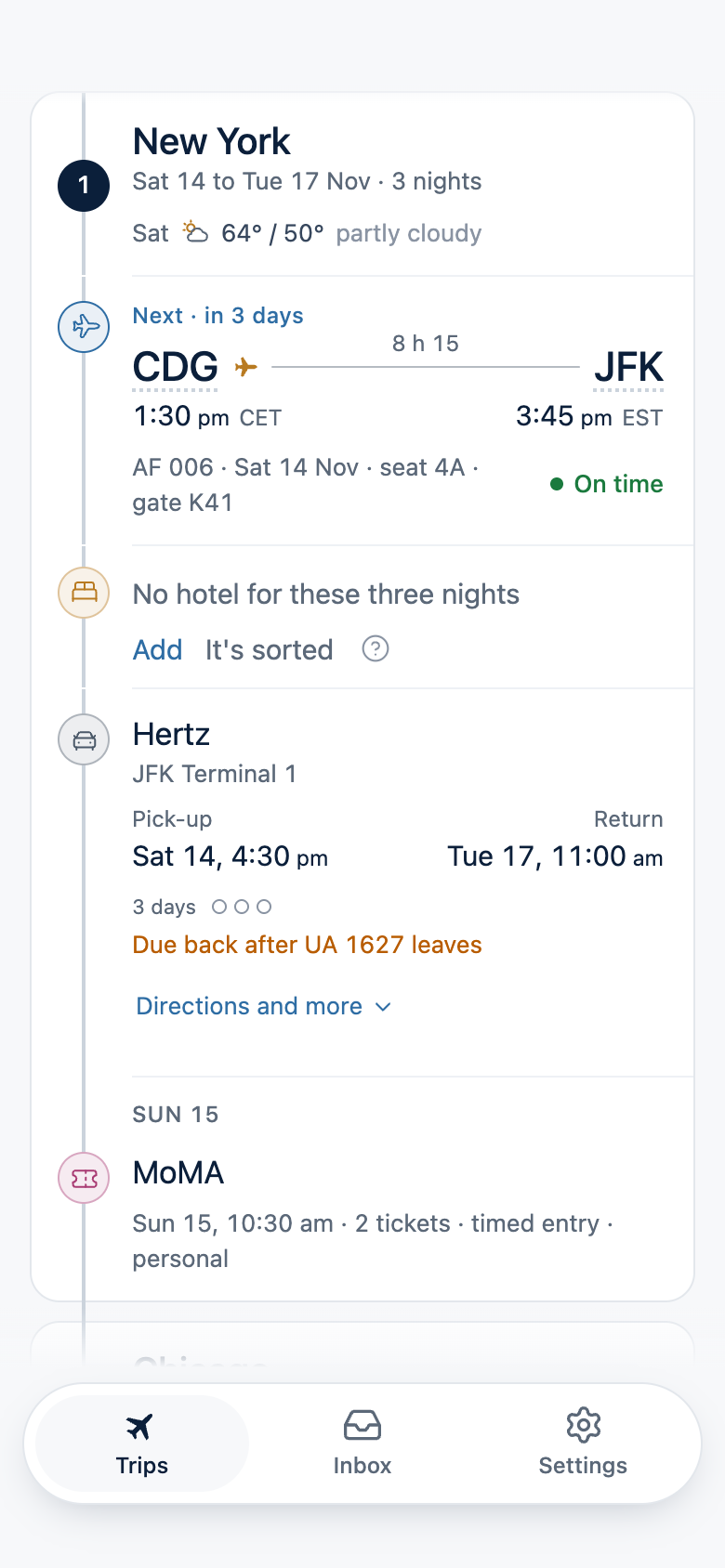
It notices what's missing.
Nights with nowhere booked to sleep, a hotel that starts the day after you land, two bookings in the same hours. Each is one calm line, with a way to fix it and a way to wave it away.
And the small things that help
Where to go, as soon as it's known
On the day, one alert with the terminal and the gate. A new gate reaches you within minutes, with the old one beside it.
Before the airline says so
When the plane flying in to take you is running late, you hear that your flight may leave late, before its time changes.
Friends' flights too
Keep a trip for a friend or someone in the family, and get a word when their flight lands.
A screenshot works too
A photo or a screenshot of a booking is read just like a forwarded email.
Your Schengen days, counted
Link MyTravelStatus, our app for day limits, and each trip says whether it fits your days.
Make it yours
Your own photo on a trip, and your colours across the app and its widgets.
Also, if you want it
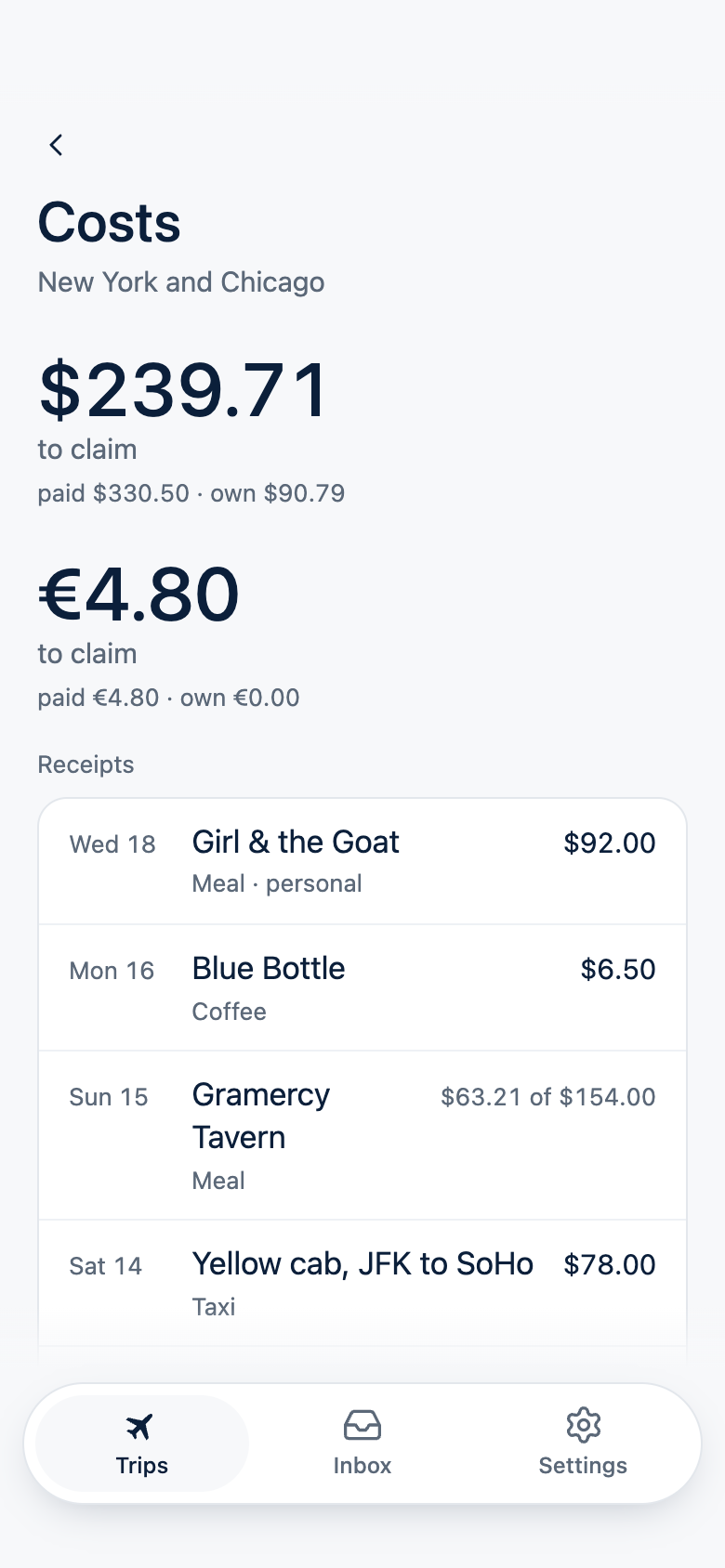
It can keep a trip's receipts.
Type a receipt in or scan it. Mark the lines work does not pay for, the wine say, and how many of the people at the table work covers. Each trip has a total in each currency and a CSV file for whoever does the accounts.
It is there when you need it. The app never asks for a receipt.
Yours to keep
Your trips are yours.
Export them whenever you like, in a file you can read without us. The trip you are about to take opens with no signal. Delete your account and everything in it is deleted at once.
If HyperActives ever closes, we will tell you at least 90 days before, keep the export working until the last day, and then delete what we hold.
Who it is for
People who travel often, mix work and the rest, and want one place that keeps up. It is not a booking site and it will not suggest where to go.
Questions, or a wish to try it before it is in the stores: support@hyperactives.com.